Feature guide
Everything Flowlab can do
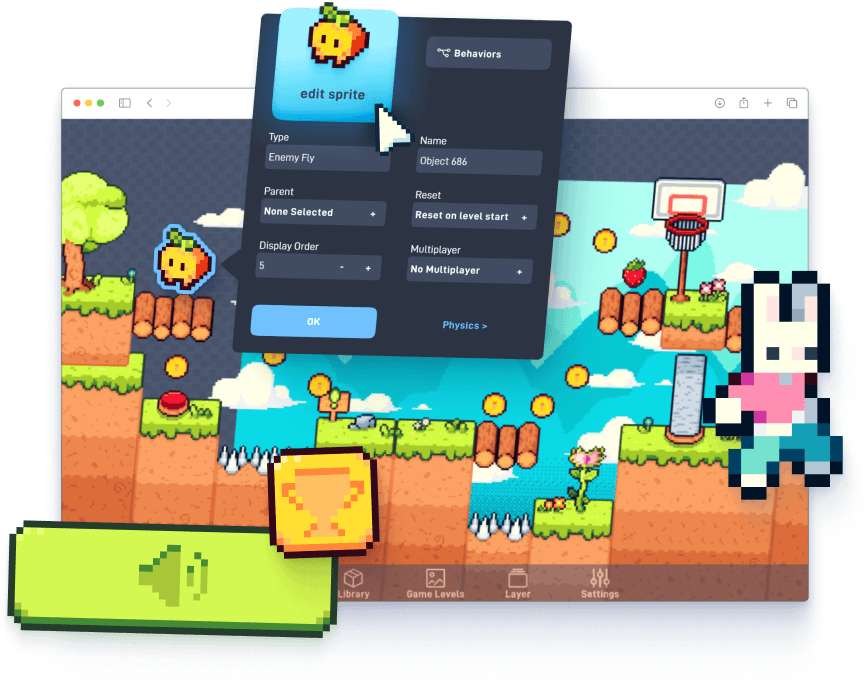
Flowlab is a game creator that runs in your browser. You build real games with visual logic you can always see, understand, and change, then play them instantly and share them anywhere.
Jump to a section
01
What is Flowlab
- Browser-based game creation platform; no download or install. Runs on Chromebooks, Macs, Windows PCs, and mobile devices.
- Games are built with a visual, node-based behavior system instead of written code. The logic is never hidden: you can always open any part of your game to see how it works and change it.
- Games run instantly in the browser (HTML5) and can be exported to iOS, Android, Windows, and Mac as native apps.
- Used by individual creators and in classrooms worldwide; nearly 3 million games have been made with Flowlab.
02
Visual Programming
- Behavior graphs: logic is built by connecting nodes (events, logic, actions) with visible links. The graph is the program; anyone who can open the game can read its logic.
- Bundles: any group of nodes can be collapsed into a reusable bundle with its own inputs and outputs; bundles nest, and a personal bundle library lets you reuse logic across objects and games.
- Community bundles: publish bundles for other creators to browse, bookmark, and remix (remix lineage is tracked); teachers can disable community bundles for students.
- Editor conveniences: full undo/redo, copy/cut/paste of node selections (including between games), visual frames for annotating graphs, node search, notes on nodes, breadcrumb navigation inside nested bundles.
- Custom Code node Premium : write real scripted logic with typed inputs/outputs when you want to go beyond nodes; compiled server-side and sandboxed.
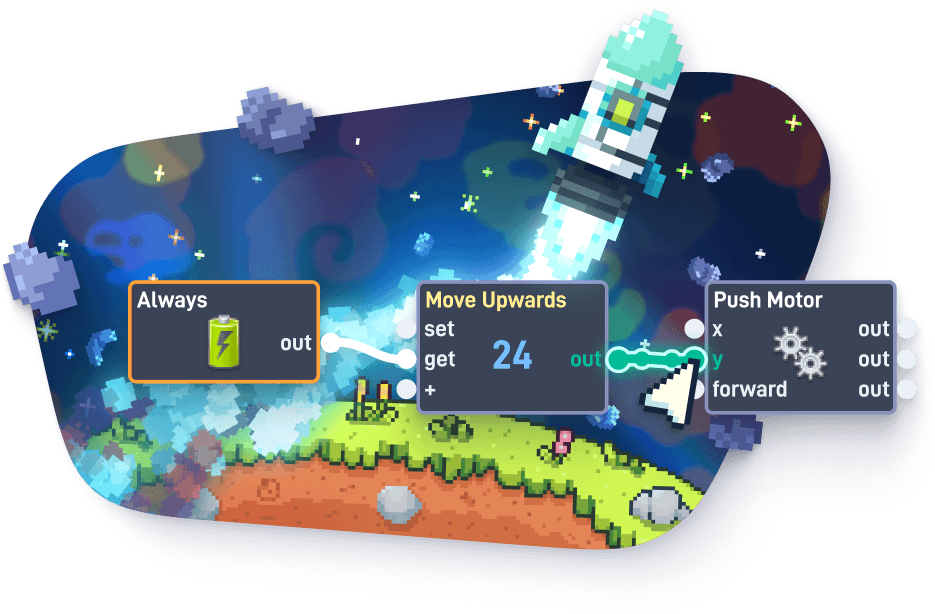
Nearly 100 built-in behavior nodes across 9 categories
New behaviors added regularly. Full reference in the Behavior Handbook.
14 Events
OnceAlwaysTimerMouseClickMouseMoveMouseWheelLockedMouse (pointer lock)Gesture (touch)KeyboardGame ControllerCollisionSensorMailbox (message receive)In View
13 Logic & Math
NumberExpression (arithmetic evaluator)Global VariableObject VariableEase (30 easing curves)RandomRepeaterFilter (comparisons)SwitchToggle SwitchRouter (up to 32 routes)Logic Gate (AND/OR/NAND/NOR/XOR/XNOR)Custom Code (premium)
16 Components
SoundEmit (particles)SpawnAttacherPhysics JointProximityPush MotorSpin MotorImpulsePointAtDestroyerCameraMessageRayCastCalendarClock
15 Properties
PositionRotationAlphaSizeEnabledAnimationVelocitySpinMaterialFlipExtractorDisplay OrderShader (premium)BlendingColors
12 Text & Lists
TextText CaseText LengthTo NumberText CompareText SanitizeText ListNumber ListList ModifyList OrderList EachList Count
4 GUI
AlertBarLabelCursor
13 Game Flow
PauseLoad LevelRestartFetch URLSave ValueLeaderboard (premium)Achievement (premium)Level PhysicsUser InfoClipboardFull ScreenCloud (premium)Game Save (premium)
7 Mobile Device All premium
AdMob AdsAccelerometerVibrateiOS GameCenterDevice CheckTouch CheckExit Game
3 Multiplayer Premium
Shared ValuePlayer CountPlayer Check
03
Game Engine & Editor
- Hardware-accelerated 2D tile rendering engine, running as HTML5 in the browser.
- Three layers per level: Background, Game World, User Interface; objects can be moved between layers.
- Camera system: follow objects, parallax scrolling (per-layer depth), scroll bounds, infinite scrolling, repeating backgrounds, zoom (0.01x–100x), rotation, smoothing, sub-pixel smooth scrolling.
- Display: scale modes (none, zoom, letterbox, stretch, expand), fullscreen support, selectable render frame rate (30/60 fps with frame pacing options), smoothed or crisp pixel rendering per game.
- Text rendering: MSDF-based bitmap fonts, crisp at any scale; custom font upload Premium .
- Multiple levels per game; customizable loading screens Premium ; editable custom splash screens for exports.
The engine is the editor
- Press Play and the game runs instantly, right in the editor. There is no build step and no compile wait.
- Edits show up immediately: draw on a sprite or rewire some logic and see the change in the running game.
- The editor and the runtime are the same engine, so what you play while testing is exactly what players get.
04
Art & Sprite Creation
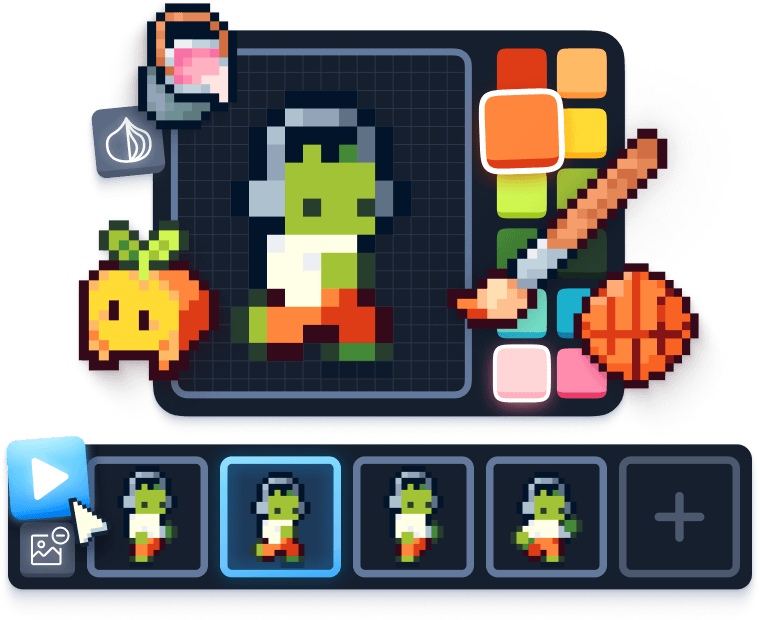
- Built-in pixel/sprite editor; no external tools needed: pencil, brush (1–16 px), eraser, fill bucket, line, rectangle, ellipse, filled shapes, color picker/dropper, text tool, rectangular select, canvas shift/resize, rotate, flip horizontal/vertical, zoom, palettes and swatches.
- Draw directly on animation frames with onion skinning; edits appear in the running game immediately.
- Import PNG, JPG, and GIF images (animated GIF import supported); scale and position on import.
- Sprite libraries: built-in sprite packs for every account; paid plans add thousands more licensed sprites.
05
Animation
- Frame-based sprite animation: named animations per object with per-frame timing, looping, priorities, and per-frame position offsets.
- Animation control from logic: play, stop, jump to frame, completion events.
- Animated GIF import: each GIF frame becomes an animation frame.
- Tweening: Ease node with 10 easing families (Linear, Quadratic, Cubic, Quartic, Quintic, Sine, Exponential, Elastic, Bounce, Back), each with in/out/in-out variants.
06
Physics
- Built-in 2D physics engine on every game object; no setup required.
- Per-object properties: movable/static, gravity on/off, solid/non-solid, collisions on/off, spin allowed, density, bounce, friction.
- Collision shapes: circle, rectangle, capsule, polygon; all editable visually, including individual polygon vertices.
- Custom collision groups: define which groups of objects collide with which.
- Joints: pivot, weld, and distance joints with visually editable anchor points; breakable.
- Sensors: event-driven trigger areas that detect objects entering/leaving without physical contact.
- Raycasting: invisible rays for line-of-sight, ground checks, and targeting.
- Forces: continuous motors (push, spin), one-shot impulses, direct velocity control.
- World settings per level: gravity (X and Y), drag, physics speed; all changeable at runtime.
- Particle emitter for projectiles and effects.
07
Visual Effects (Shaders)
Premium- 24 real-time shader effects applicable to a single object, a layer, the whole screen, or text.
- Effect parameters are drivable from behavior logic for animated effects.
- Additional per-object controls available to everyone: alpha, color channels, blend modes (normal, add, subtract, multiply, screen), display order.
retro TV (CRT)glitchdot screenblurgaussian blurbloomdissolveshockwavewavyfilm grainhexagongrayscaleinvertcolor shiftthresholdhq2x upscalingcalibrationscrollLCDLEDpixel resolutionpixel sizepixelizesphere
08
Sound & Music
- Sound playback with live control of volume, pan, pitch, playback position, looping, and overlap from behavior logic; streamed music or fully-loaded sound effects; sounds can persist across pause and level changes.
- Sound library: built-in sound effects and music for every account; paid plans add thousands more licensed sounds.
- Custom sound upload (MP3, OGG, WAV, AAC) Premium , with folder organization for sound libraries.
- Nightloop: built-in sound and music creation tool. Design sound effects and music loops inside Flowlab and use them directly in your game, no export/import round-trip.
09
Interface & Text (GUI)
- Dedicated User Interface layer that stays fixed over the game world.
- Text labels with custom fonts, alignment, and live updates from game logic; progress/health bars; popup alerts; mouse cursor show/hide.
- Text processing: string values, case conversion, length, comparison, sanitization, text/number conversion, and full list handling (text lists, number lists, insert/remove/replace, sort, shuffle, iterate).
10
Data, Saving & Cloud
- Save Value node: persistent local saves on the player's device (numbers, text, and lists).
- Game Save Premium : snapshot and restore full game state, including a saved screenshot per slot.
- Cloud storage Premium : store and retrieve values server-side, shared across a game's players.
- Online leaderboards and achievements Premium , with management UI per game.
- Global variables (game-wide), object variables (per-object), Expression node for math.
- Player identity: logged-in player name/id available to game logic.
11
- Real-time online multiplayer for browser games, with automatic peer connection negotiation and relay fallback. Browser games only.
- Shared Values sync data between all connected players; Player Count and Player Check (local vs remote) nodes; per-object "shared object" replication toggle; configurable max players per game.
- Player input, spawning, and object state replicate automatically for shared objects.
- Full details in the Multiplayer Handbook.
12
Debugging & Performance Tools
- Live Mode: play the game with the behavior editor open and watch nodes and links light up as they fire, in real time.
- Watch Mode: slow the game down or pause it entirely and step through logic node-by-node.
- Physics shape overlays: see every collider while the game runs.
- Performance profiler Premium : live per-system timing metrics in-game.
- Per-node error and warning indicators in the editor.
13
Publishing & Exporting
- Every game gets a hosted, shareable game page on flowlab.io instantly: play in browser, like/favorite counts, play counts, description (markdown), tags, screenshots, QR code for playing on mobile.
- Customizable game pages Premium : colors, fonts, banner image, app-store links.
- Privacy per game: free games are public; unlisted, private, and locked (playable but read-only editor) options Premium .
- Embed games on any website (responsive iframe embed).
- Games can be cloned/forked (when the owner allows) as starting points.
Exports
Premium- HTML5 (self-hosted web page download)
- iOS apps, Android apps (APK and AAB), Windows, and Mac; built by Flowlab's build service, no local SDKs needed
- Games can be published and sold on the Apple App Store and Google Play; desktop builds can be sold on Steam or itch.io
- AdMob mobile ad integration for monetization
14
Collaboration & Community
- Dev Teams Premium : create a team, invite members, share ownership of games, team pages and logos; team editing on shared games.
- Community bundle sharing: publish reusable behavior bundles, browse and bookmark others', remix with attribution lineage.
- Games gallery: trending ("Fresh"), most favorited, featured, and game-jam showcases.
- Flowjam: twice-yearly community game jams, Winter and Summer, with themed competitions, community voting, and prizes for the top games.
- Community forum (community.flowlab.io) and an active Discord server.
- User profiles with games, teams, and achievements.
- Content moderation: report system on games and bundles, human-reviewed.
15
Classroom Management (Education)
- Teacher dashboard managing classes, students, and (on multi-teacher plans) additional teacher accounts.
- Student accounts without email: teachers create username+password accounts; students never need an email address. Bulk creation via CSV import.
- Class join codes: students self-enroll with a 6-character code; every request requires teacher approval before the student joins.
- Student privacy controls (per school account): make all games/profiles visible only within the school, hide public games browsing, hide community/forum, hide social links, disable community bundles.
- Class pages: shareable showcase page per class with sorting and per-game visibility controls.
- Roster tools: rename, reset passwords, move students between classes, transfer/unlink accounts.
- Integrations: Clever SSO + roster import, Google Classroom SSO + course import, LTI (Canvas, Blackboard, Moodle) with automatic class creation.
- Dedicated student login domain: flowlab.school.
- Lesson plans included: Simple Platform Game (6 lessons), Space Pilot (6), Adventure Game (6), Endless Jumper (4), Code Node (3), each with starter projects and printable checklists; video tutorials.
- COPPA: children's privacy policy with teacher/school consent model; student data minimization (no student emails, no student marketing).
- Honest assessment: teachers can watch logic being built in class; the behavior graph shows the student's own reasoning.
- Free teacher trials; purchase orders and invoicing accepted.
16
Learning Resources
- User Guide, Behavior Handbook (every behavior documented), Multiplayer Handbook.
- Video tutorials, behavior cookbook, small runnable example games, and the "Flowlab: The Essential Guide" PDF.
- In-editor interactive tutorial for first-time users.
17
Accounts, Privacy & Safety
- Free tier: 3 games, 5 levels per game, 50 object types per game, all core editing features; published games playable by anyone.
- Paid tiers for individuals (Starter, Indie) and schools (per-teacher licensing with student seats). Full matrix on pricing.
- Downgrade-safe: premium features already used in a game keep working; exported games keep working.
- Sign-in: email/password, Clever, Google Classroom, LTI.
- Report/moderation system; children's privacy policy; data safety disclosure pages.
18
Platform & Technology
Runs entirely in the browser; nothing to install; works on Chromebooks and school-managed networks.
Games are HTML5 in the browser, and export as native apps for iOS, Android, Windows, and Mac.
Custom 2D engine with hardware-accelerated rendering and built-in physics.
Visual behavior-graph programming with an optional real-code escape hatch (Code node).
Real-time online multiplayer for browser games (beta).
Nearly 100 behavior node types, 24 shader effects, 30 easing curves, built-in sprite editor, built-in sound tool.
Open the editor and try it
No download, no install. A free account covers 3 games.